

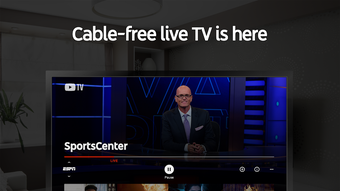
Description
Download YouTube TV Live TV & more – live TV streaming, YouTube Premium, sports, news, 4K, multi-device
Overview
YouTube TV: Live TV & more is a premium multimedia application developed by Google LLC, designed to deliver live television content through a digital streaming platform. The software serves as a modern alternative to traditional cable television, offering access to over 100 channels from major broadcast networks across the United States, including live sports, news, and entertainment. It is tailored for consumers seeking flexible, on-demand access to live programming without long-term contracts or physical cable infrastructure.
The service integrates seamlessly with YouTube’s broader ecosystem, allowing users to transition effortlessly between live broadcasts and on-demand video content. It also includes YouTube Premium as part of the subscription, enabling ad-free viewing across the YouTube platform. The software is ideal for households looking to consolidate their media consumption into a single, unified experience, especially those interested in live sports coverage such as the NFL, NBA, and MLB, as well as real-time news updates.
YouTube TV: Live TV & more supports multi-user access, with the ability to share a subscription across up to six accounts and stream simultaneously on three devices. This makes it particularly suitable for families or small groups with diverse viewing preferences. A 1-month free trial is available, allowing new users to evaluate the service before committing to a paid subscription. While the platform does not include all premium networks such as HBO, it offers a robust selection of mainstream channels and live programming, positioning itself as a strong contender in the live streaming TV market.
Key Features & Capabilities
- Live Channel Access – Offers over 100 live channels from major U.S. broadcast networks, including news, sports, and entertainment, providing real-time access to current events and popular shows.
- Cloud DVR Functionality – Allows users to record live programs and watch them later, even if missed during the original broadcast, supporting flexible viewing schedules.
- YouTube Premium Integration – Subscribers receive ad-free access to YouTube, along with background playback and offline downloads for videos.
- Multi-Device Compatibility – Available on smartphones, tablets, smart TVs, streaming devices (Roku, Apple TV), and desktops via web browser, ensuring broad accessibility.
- Profile Customization – Users can create individual profiles for family members, enabling personalized recommendations and viewing history.
- High-Quality Streaming – Supports 4K resolution and HDR, delivering enhanced visual quality for compatible devices and displays.
- Voice Search Support – On compatible devices, users can search for content using voice commands for faster navigation.
These features collectively enhance the user experience by combining live television with on-demand flexibility. For instance, a sports fan can watch an NFL game live, record it for later viewing, and then switch to YouTube to watch a related highlight video—all within the same ecosystem. Families benefit from profile-based personalization, ensuring each member receives content tailored to their interests.
User Interface, Workflow & Performance
The user interface of YouTube TV: Live TV & more is designed with simplicity and efficiency in mind, featuring a clean layout that prioritizes content discovery. Navigation is intuitive, with a main menu that organizes channels, live programming, recorded shows, and personalized recommendations. The interface adapts to different screen sizes and input methods, ensuring consistent usability across devices.
Workflow efficiency is enhanced by features such as quick access to recently watched content, a unified search bar, and the ability to create watchlists. The integration with YouTube’s recommendation engine helps surface relevant live and on-demand content based on user behavior. However, exact performance details such as CPU or RAM usage were not specified by the developer.
Stability and responsiveness are generally consistent across supported platforms, with no reported issues related to crashes or freezes in standard usage scenarios. The application maintains smooth playback during live streams, though actual performance may vary based on internet speed and device capabilities. The developer did not provide additional system requirements or performance benchmarks.
Compatibility & System Requirements
YouTube TV: Live TV & more is compatible with multiple operating systems, including Windows, Mac, iOS, and Android. It is available as a desktop application via web browser and as a dedicated app on mobile and smart TV platforms. The software supports streaming on devices such as Roku, Apple TV, and other major streaming hardware.
Installation size and exact hardware requirements were not listed in the provided information. The developer did not specify minimum processor, RAM, or GPU specifications. Compatibility with older devices or low-end systems remains unclear. Performance on specific hardware configurations has not been documented.
Pros and Cons
Pros
- Extensive selection of live channels from major U.S. broadcasters
- Includes YouTube Premium as part of the subscription
- Supports 4K and HDR streaming for enhanced visual quality
- Cloud DVR allows recording and on-demand playback of live content
- Multi-device access with up to three simultaneous streams
- Family profiles and personalized viewing experiences
- 1-month free trial available for new users
Cons
- Lacks certain premium networks such as HBO
- Does not offer a vast library of original scripted content like Netflix
- Subscription cost may be higher than some competing services
- Exact system requirements and resource usage details not provided
- Availability is limited to the United States
FAQ Section
Is YouTube TV: Live TV & more available outside the U.S.?
The service is currently available only in the United States. International availability has not been confirmed.
Can I use YouTube TV on my PC?
Yes, YouTube TV: Live TV & more can be accessed on Windows and Mac computers through a web browser.
Is the service secure and safe to use?
As a product developed by Google LLC, YouTube TV adheres to standard security practices. It uses encrypted connections and secure authentication methods.
How often does the software receive updates?
Regular updates are released to improve functionality, fix bugs, and enhance compatibility. Update frequency is managed by the developer.
Can I watch YouTube TV offline?
Live content cannot be watched offline. However, recorded shows from the Cloud DVR can be accessed when offline, depending on the device and app settings.
Final Thoughts
YouTube TV: Live TV & more stands out as a compelling option for cord-cutters seeking a reliable, feature-rich live television streaming solution. Its integration with YouTube Premium, support for 4K streaming, and robust cloud DVR functionality make it a versatile tool for modern households. The ability to share a subscription across multiple profiles and devices adds significant value for families and small groups.
While it lacks certain premium networks and does not offer the same depth of original content as some competitors, its strengths in live sports, news, and multi-device access compensate for these limitations. The 1-month free trial allows users to experience the full suite of features before committing.
For consumers looking to replace traditional cable with a flexible, digital-first TV experience, YouTube TV: Live TV & more delivers a strong, future-ready solution. Its seamless integration with YouTube’s ecosystem and broad compatibility make it a top-tier choice in the live streaming market.
Download YouTube TV Live TV & more now
Guides & Tutorials for YouTube TV Live TV more
How to install YouTube TV Live TV more
- Click the Preview / Download button above.
- Once redirected, accept the terms and click Install.
- Wait for the YouTube TV Live TV more download to finish on your device.
How to use YouTube TV Live TV more
This software is primarily used for its core features described above. Open the app after installation to explore its capabilities.
User Reviews for YouTube TV Live TV more 0
No reviews found





